
Make event QR codes feel branded
Event QR codes need to be easy to scan, but they also need to look good on posters, booth screens, sponsor displays, and social promotions. A 3D QR visual can make an event link feel more branded and more noticeable.
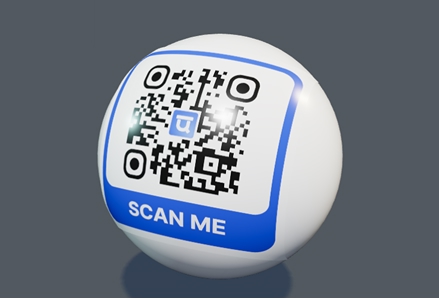
3D preview and export tools
3D event QR code shown on a booth screen and event poster
Event QR codes need to be easy to scan, but they also need to look good on posters, booth screens, sponsor displays, and social promotions. A 3D QR visual can make an event link feel more branded and more noticeable.
Use 3D QR codes for registration pages, session schedules, venue maps, sponsor offers, giveaway entries, feedback forms, and post-event follow-up. For printed materials, use a dynamic QR code so the destination can be updated if the schedule or location changes.
Built for real campaigns
Event-friendly QR templates and 3D cards
Dynamic redirects for changing agenda or venue links
Animation exports for screens and social posts
Scan tracking by project or campaign
Where this page fits best
Common questions
Can I edit the QR after printing?
Static QR codes cannot be edited after printing, but you can create a dynamic QR when you need future edits.
Can I use my logo and brand colors?
Yes. You can add a logo, choose colors, use templates, and save brand assets for repeated campaigns.
Can scans be tracked?
Dynamic QR scans can be tracked in the dashboard and can also send events to GA4 or HubSpot when configured.