
Design QR codes as 3D objects
Most QR codes look flat and forgettable. UniQR Online helps turn a standard QR code into a branded 3D visual that can be used in social posts, ads, event screens, landing pages, product mockups, and creative presentations.
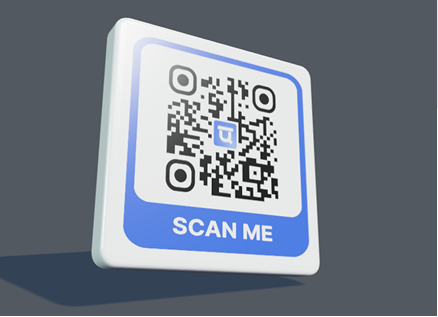
3D preview and export tools
Animated 3D QR code preview with material, lighting, and shape controls
Most QR codes look flat and forgettable. UniQR Online helps turn a standard QR code into a branded 3D visual that can be used in social posts, ads, event screens, landing pages, product mockups, and creative presentations.
Choose a shape, adjust the material, tune lighting, position the QR surface, and export a 3D visual for your campaign. This is especially useful when you want the QR code to become part of the design instead of looking like an afterthought.
Built for real campaigns
3D object previews with QR mapping controls
Materials including matte, metal, glass, acrylic, wood, and stone
Texture uploads, repeat controls, relief, and blur
3D PNG plus animation export workflows
Where this page fits best
Common questions
Can I edit the QR after printing?
Static QR codes cannot be edited after printing, but you can create a dynamic QR when you need future edits.
Can I use my logo and brand colors?
Yes. You can add a logo, choose colors, use templates, and save brand assets for repeated campaigns.
Can scans be tracked?
Dynamic QR scans can be tracked in the dashboard and can also send events to GA4 or HubSpot when configured.